
AI Tools for Making Study Notes: How to Pick the Right One and Use It Well
Study notes used to mean one thing: a notebook, a pen, and several hours of rewriting what the teacher just said. That is still a fine way to learn, but it is no longer the only way. Today, students can record a lecture, feed a chapter into a tool, and get back a summary, a set of flashcards, or a structured outline in minutes.
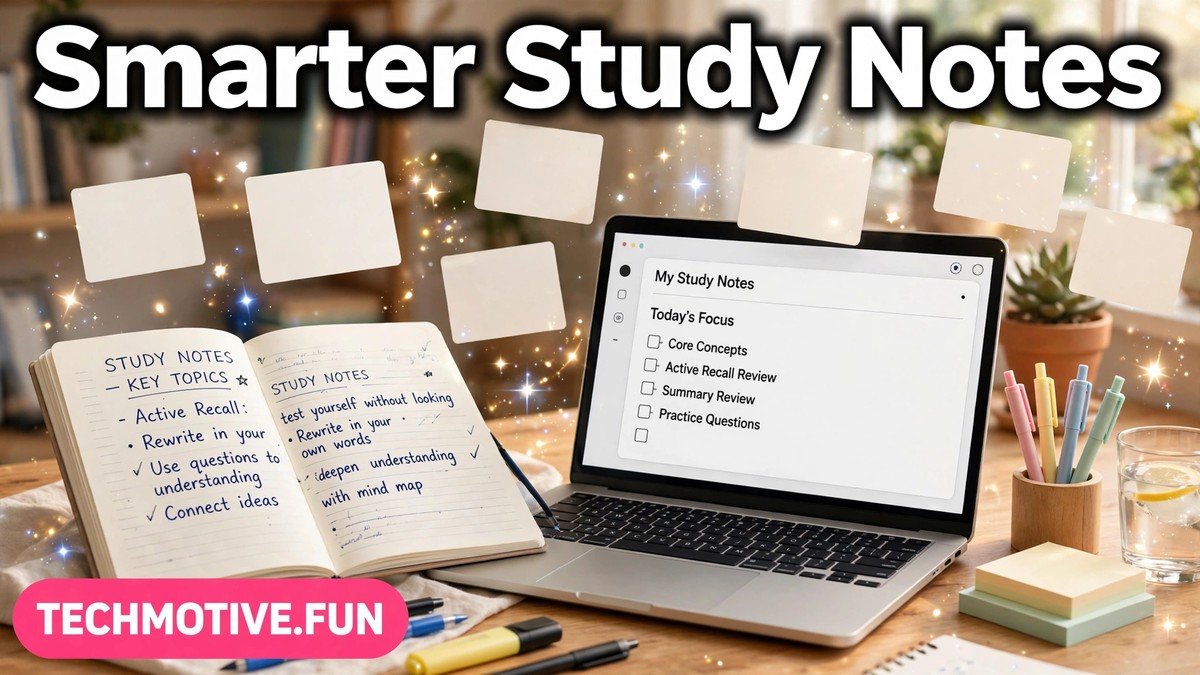
That speed is genuinely useful, and it is also where most of the trouble starts. A fast summary is not the same as a good summary, and a tidy set of notes is not proof that you understand the topic. The value of these tools depends almost entirely on how you use them.
This guide explains what AI study-note tools can realistically do, where they fall short, and how to build a simple workflow around them that actually helps you remember more. You do not need the most advanced tool on the market. You need one that fits your subject, your study habits, and the way your exams test you.
What These Tools Actually Do
At their core, most AI study-note tools do a small number of jobs. They take messy input — a lecture recording, a long chapter, a set of slides, or your own rough notes — and turn it into something more organised. That might be a shorter summary, a list of key points, a set of questions, or a visual map of how ideas connect.
This is helpful in a very specific way. When you face forty pages of reading or an hour-long lecture, the hardest step is often just getting started. A tool can give you a first draft to work from, so you spend your energy on understanding and checking rather than on copying. It can also change the format of your material: a dense paragraph can become a bullet list, and a list can become flashcards, which matters because revision works better when you actively recall information instead of just re-reading it.
What they do well, in short, is organisation and first drafts. They are good at sorting, shortening, and restructuring. They are much less reliable at judging what matters most in your course or knowing which detail your textbook treats as essential.
What They Cannot Do
The biggest limitation is understanding. An AI tool does not know your course, what your teacher emphasised in class, or how your subject is graded. It can only work with the material you give it, and it can only guess at what is important. That guess is sometimes wrong: a tool may summarise a minor example in detail while glossing over the main argument, or treat every point as equally important, which is rarely true in a real syllabus.
Accuracy is the other problem. AI tools can produce confident-sounding statements that are simply incorrect. They can mix up definitions and steps in a process, or invent a plausible-sounding detail that never appeared in your source material. This is not rare, and it is not always obvious, because the error often sits inside an otherwise accurate paragraph.
Finally, these tools cannot learn for you. Reading an AI-generated summary feels productive, but feeling productive and actually remembering are two different things. If you never test yourself, never rewrite an idea in your own words, and never explain it without looking, the notes will stay on the screen and never move into your memory.
The Main Types of Tools, Compared
Not all study-note tools do the same job. It helps to think in terms of types rather than brands, because each type solves a different problem, and most students benefit from combining two types rather than relying on one.
| Tool type | What it is best for | Where to be careful |
| Note-taking assistants | Turning lectures, readings, and rough notes into organised, searchable notes | May include irrelevant detail or miss what your teacher stressed |
| Summarizers | Shortening long chapters, articles, and transcripts into key points | Can oversimplify, drop conditions, or flatten a nuanced argument |
| Flashcard makers | Turning notes into question-and-answer cards for active recall | Cards built from unchecked summaries carry errors into your revision |
| Mind-map tools | Showing how ideas connect, especially in subjects with many linked concepts | A pretty map can hide gaps in understanding if you never test the links |
Note-taking assistants are the most general option. They suit students who attend long lectures or read widely and want a clean, searchable record to revise from. Their weakness is judgement: they organise everything, including material you could safely ignore.
Summarizers suit heavy reading loads. If you have a long chapter and limited time, a summary can help you decide what deserves a closer read. The risk is treating the summary as a replacement for the chapter. Use it as a map, then read the important sections yourself.
Flashcard makers are the most directly useful for exams, because they force recall. Instead of re-reading a definition, you have to produce it. The catch is that a flashcard is only as good as the note it came from. Always check the source before you start memorising a card.
Mind-map tools suit subjects where connections matter more than lists — topics like biology systems, history causes and effects, or business frameworks. A map shows structure at a glance. But do not mistake a finished map for understanding. Cover it up and try to redraw the main branches from memory. That is where the learning happens.
A Practical Workflow That Actually Works
A tool becomes useful when it sits inside a workflow, not when it replaces one. The steps below work for most subjects, because each step feeds the next.
Step 1: Start with your own rough notes
Begin the way you normally would. Attend the lecture, read the chapter, and jot down rough notes in your own words. They do not need to be neat. They need to be yours, because they capture what you noticed, what confused you, and what your teacher repeated. They are also your safety net: later, when the AI output says something surprising, you will have something to check it against.
Step 2: Turn the material into a clean summary
Now use a tool to organise the material. Feed it your lecture notes, a chapter, or a transcript, and ask for a structured summary with headings. Read the result carefully, and edit it as you go: delete anything irrelevant, restore anything important that was dropped, and fix anything that contradicts your own notes. Deciding what to keep and what to cut forces you to judge importance, which is exactly the skill exams test.
If you work with slide decks or documents, a related approach can help: tools that convert a document into a presentation can reveal the structure of a topic, and you can read more about that approach in this guide to ai tools for creating presentation from pdf. Use it to understand structure, not as a substitute for reading the material itself.
Step 3: Convert the summary into flashcards
Once the summary is checked and corrected, turn the key points into flashcards. Keep each card focused on one idea, and write questions the way your exam would ask them: definition cards for definition exams, problem cards for problem exams. Matching your cards to your exam format is a small change that makes a large difference.
Step 4: Self-test, then fill the gaps
Now put the notes away and test yourself. Go through the flashcards honestly, and mark the ones you miss. Then go back to your source material for the missed items only. Re-read that section, rewrite the point in your own words, and fix the card. This loop is the whole point of the workflow: the summary gives you material, the flashcards force recall, and the gaps tell you exactly what to study next.
Step 5: Review in a different format
A final review in a different format catches gaps that reading alone misses. Listening to your notes, for example, can reveal unclear explanations that your eyes skipped over, and this guide to ai tools for converting text to speech explains how spoken review works. Short, spaced reviews over several days beat one long session the night before the exam.
Checking Accuracy Before You Trust a Note
Accuracy checking is not optional with AI-generated notes. It is the step that separates a helpful tool from a source of confident mistakes. Build it into your routine, and it quickly becomes fast. First, compare the AI output against your own source. Pick the claims that matter most — definitions, steps, causes, and numbers — and check them against your textbook, lecture slides, or class notes.
Second, watch for the classic warning signs. Be suspicious of summaries that are too smooth, where every point fits neatly and nothing is marked as uncertain. Real subjects have exceptions, conditions, and debates, and a summary that removes all of them has probably oversimplified.
Third, check the structure, not just the facts. Does the summary keep the original argument in the right order, and does it preserve cause and effect? Structural errors are easy to overlook, because each individual sentence can look correct while the overall picture is wrong.
Finally, keep this rule: if a note will go into an exam answer, it must come from a source you trust, not only from an AI tool. The tool can help you find and organise the point, but your textbook, teacher, or lecture slides should confirm it. When you rewrite AI-assisted notes in your own words, errors also become easier to spot, because you have to understand a sentence before you can restate it.
Academic Honesty: Where the Line Is
This is the part students most often get wrong, and the consequences can be serious. The general principle is simple: AI can help you study, but the work you submit must be your own.
Using a tool to summarise your own lecture notes for revision is normally fine, as is using it to organise material you have read, make flashcards, or quiz yourself. These uses support your learning, and your understanding is still being tested in the exam. Submitting AI-generated text as your own work is not fine: if an assignment asks for your analysis or explanation, handing in text a tool produced is misrepresentation, even if you edited it lightly.
The safest test is this: could you explain the work without the tool in front of you? If you used AI to study, the answer should be yes, because the studying built understanding. If you used AI to produce the assignment, the answer is often no, and that gap is exactly what markers look for.
Rules vary between schools, colleges, and universities, and some courses have specific policies about AI use. When in doubt, ask your teacher or check your institution’s policy before you submit anything. A quick question now is far better than an academic-integrity problem later. It also helps to keep your sources visible: when a note comes from a textbook chapter, write the chapter down, so you can re-check it later. Students polishing written work may also find this guide to ai tools for fixing grammar for students useful, with the same rule applying: the tool suggests, you decide.
FAQ
Can AI tools replace my own notes completely?
No. AI tools work best when they organise material you have already engaged with. Your own rough notes capture what your teacher emphasised and what confused you, and those signals guide good revision. Use AI output as a cleaned-up draft, then edit it against your own notes and textbook before you rely on it.
Are AI-generated summaries accurate enough to revise from?
Sometimes, but not reliably enough to trust without checking. Summaries often get the broad picture right while getting a detail wrong or oversimplifying a key idea. Check definitions, steps, and causal claims against a trusted source before you memorise them.
How do I use these tools without breaking academic honesty rules?
Use them for studying — summarising your own notes, making flashcards, and quizzing yourself — and keep submitted work your own. Do not submit AI-generated text as your assignment, and check your institution’s policy when you are unsure. If you cannot explain the work without the tool, you have probably leaned on it too heavily.
Which type of tool should I start with?
Start with the type that matches your biggest bottleneck. If you struggle to organise long lectures, start with a note-taking assistant. If you struggle to remember facts, start with a flashcard maker. Try one tool on a single chapter first, and only add a second type once the first one is genuinely helping.
How much time should AI tools save me?
They should save time on organising and drafting, not on learning. Expect to spend less time copying and formatting, and roughly the same amount of focused time on checking, self-testing, and fixing gaps.
Conclusion
AI tools for making study notes are genuinely useful, but only in the right role. They are excellent organisers and first-draft writers. They are poor judges of what matters in your course, unreliable on details, and incapable of learning on your behalf. The students who benefit most follow a discipline: start with their own notes, let the tool organise and draft, edit the result against a trusted source, turn it into flashcards, and test themselves.
Pick one tool type that fits your subject, test it on a single chapter, and judge it by one measure: do you remember more, a week later, than you did without it? If the answer is yes, keep it. The tool is the assistant. You are still the student.
Sources
- Google NotebookLM — https://notebooklm.google/
- Google Docs Help — https://support.google.com/docs/



2 Comments