AI Tools for Converting Text to Speech: A Practical Guide
There are days when reading feels like the hardest part of the job. Your eyes are tired, the document is long, and the words on the screen start to blur together. That is exactly the moment when AI tools for converting text to speech earn their place. Instead of forcing yourself through another page, you press play and listen.
Text-to-speech, often shortened to TTS, turns written words into spoken audio. Modern AI tools do this with voices that sound far more human than the robotic narration of a decade ago. They pause at commas, raise their tone at questions, and handle everyday sentences in a way that is genuinely pleasant to listen to.
This guide explains what these tools do, who they help most, and how to choose one without getting lost in marketing claims. You will also find a simple workflow for turning a document into finished audio, plus practical tips for getting natural-sounding results.
What Text-to-Speech Tools Actually Do
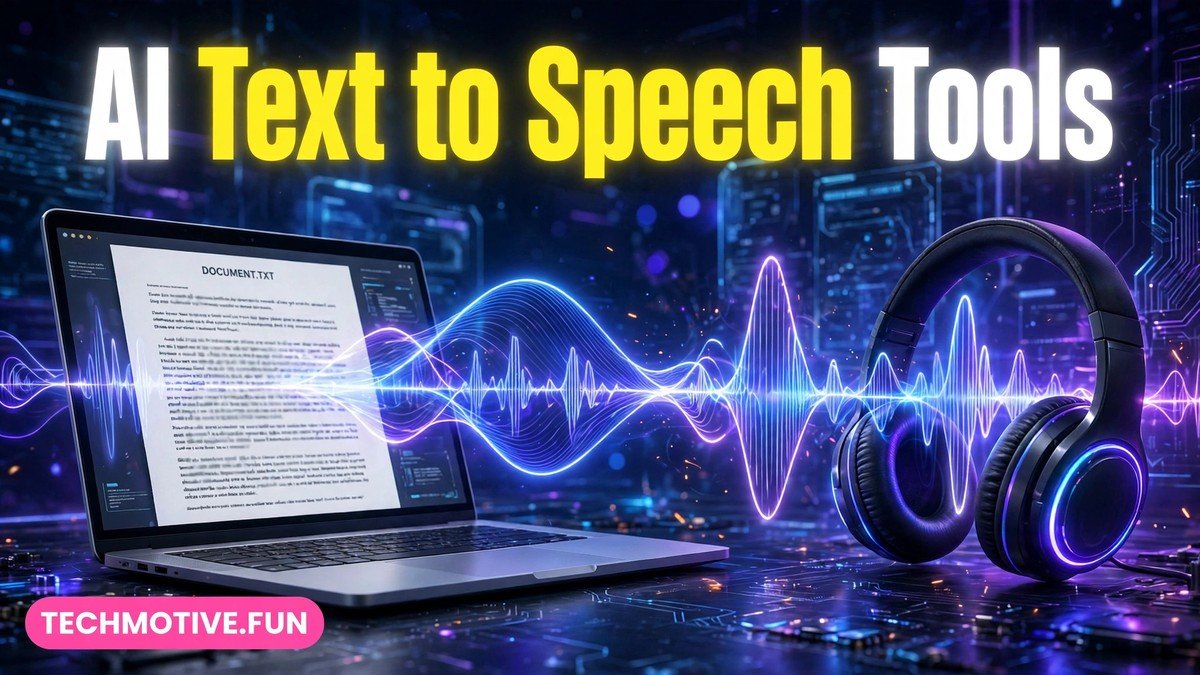
At their core, AI tools for converting text to speech take a block of text and read it aloud using a synthetic voice. You paste in an article, upload a document, or type a script, pick a voice, and the tool generates an audio file you can play back or download.
Behind the scenes, the tool analyses the text before speaking it. It works out where sentences end, which words to stress, and how to pronounce names, numbers, and abbreviations. Newer AI voices are trained on large amounts of recorded human speech, which is why they can sound conversational rather than mechanical.
Most tools share a few basic controls. You can usually adjust the speaking speed, choose between different voices, and preview a short sample before generating the full audio. Some tools also let you insert pauses, emphasise a particular word, or split a long script into smaller sections.
It is worth knowing what these tools are not. They do not understand your text the way a human narrator would. They will read a typo exactly as written, and they may mispronounce an unusual name or technical term. That is why listening back to the result, rather than trusting it blindly, is part of any sensible workflow.
Who Uses Text-to-Speech Tools, and Why
The audience for text-to-speech is much wider than most people expect. Four groups use these tools more than anyone else.
Students are one of the biggest groups. Listening to study notes, textbook chapters, or research summaries can make revision feel less heavy, especially during long study sessions. Some students listen while walking or doing chores, turning otherwise dead time into review time. Hearing material aloud can also help information stick, because it engages a different sense than silent reading.
People with accessibility needs are another major group. For readers with dyslexia, low vision, or other conditions that make reading difficult, text-to-speech removes a real barrier. It allows them to access the same articles, documents, and books as everyone else, at their own pace.
Writers and editors use these tools as a proofreading trick. When you read your own work silently, your brain tends to skip over mistakes because it already knows what you meant to say. Hearing the text read aloud exposes awkward sentences, repeated words, and missing punctuation that your eyes glide past.
Content creators form the fourth group. Podcasters, video makers, course creators, and social media producers use text-to-speech for narration, voiceovers, and draft audio. It lets them produce spoken content quickly without recording equipment or a studio, and it makes it easy to update a script and regenerate the audio.
Language learners benefit too. Listening to written passages spoken in a target language helps with pronunciation and listening comprehension, and it pairs well with reading along at the same time.
What to Compare Before You Pick a Tool
Not all text-to-speech tools are equal, and the differences matter more than the feature lists suggest. Here are the factors worth comparing.
Voice naturalness comes first. Listen to a full sample, not just a five-second demo. A voice can sound impressive in a short clip and tiring over ten minutes. Pay attention to how it handles long sentences, lists, and questions. If you plan to listen for an hour at a time, a voice that feels calm and steady matters more than one that sounds dramatic.
Language and accent support comes next. If you work in more than one language, or you need a specific regional accent, check that the tool genuinely supports it rather than offering a rough approximation. A tool that reads English well may struggle with another language, so test with your own material before committing.
Editing control is often overlooked. The best tools let you fix pronunciation, add pauses between sections, and adjust speed for different parts of a script. If you only need to listen to articles, simple controls are fine. If you are producing narration for an audience, editing features save a great deal of time.
Export formats are another practical point. Some tools let you download standard audio files you can use anywhere, while others keep your audio inside their own app or platform. If you plan to use the audio in a video, podcast, or presentation, make sure you can export it in a format your other software accepts.
Finally, consider how the tool handles long documents. Some tools are built for short scripts and become awkward with a fifty-page document. Others handle chapters, sections, and large uploads comfortably. Match the tool to the length of material you actually work with.
Free vs Paid: What the Tiers Usually Mean
Most text-to-speech tools offer a free tier alongside paid plans, and understanding the general shape of that split helps you decide what you need.
Free tiers are usually designed for trying the tool out. They commonly come with some kind of usage limit, fewer voice choices, and fewer editing or export options. That is often enough for occasional use, such as listening to a few articles a week or testing whether a voice suits you.
Paid plans generally remove or raise those limits and unlock more voices, more languages, and fuller editing and export features. They may also allow commercial use, which matters if the audio will appear in content you publish or sell. The exact terms vary widely between providers, so the licence terms deserve a careful read before you use generated audio commercially.
A sensible approach is to start free and upgrade only when you hit a real limit. If you find yourself generating audio every day, or you need a particular voice or export option regularly, that is the point at which paying starts to make sense. Paying for features you never use is just as wasteful as struggling with a free tier that cannot do the job.
One caution applies across all tiers: be careful with other people’s copyrighted text. Generating audio from your own writing is straightforward, but turning someone else’s book or article into audio and sharing it can raise copyright issues. Keep personal listening and public distribution in separate mental boxes.
A Practical Workflow: From Text to Finished Audio
A good workflow turns text-to-speech from a novelty into a reliable habit. Here is a simple one that works for most purposes.
Start by cleaning up the text. Remove anything you do not want spoken aloud, such as web addresses, image captions, footnotes, or navigation menus copied from a web page. Fix obvious typos, because the tool will read them exactly as written. Break very long paragraphs into shorter ones, which also makes the spoken version easier to follow.
Next, choose your voice and speed. Listen to a sample with your own text rather than the tool’s demo script, because your material may contain names and terms the demo does not. Set the speed slightly slower than you think you need at first; you can always speed up playback later, but a rushed first listen hides mistakes.
Then generate the audio in sections rather than all at once for long documents. Working section by section makes it easier to spot a mispronunciation and regenerate just that part instead of the whole file. It also keeps the project organised if you need to update one chapter later.
Listen to the full result at least once, ideally while following along with the text. Mark any words that are mispronounced, any sentences that sound wrong, and any places where a pause would help. Fix the text, adjust the pronunciation if the tool allows it, and regenerate the affected sections.
Finally, export and name your files clearly. A filename that includes the document title and date will save you confusion later, especially when you build up a library of audio over time. Keep the original text alongside the audio so you can regenerate it if a voice or tool changes.
Tips for Natural-Sounding Results
Small adjustments make a big difference to how natural synthetic speech sounds.
Write for the ear, not just the eye. Short sentences sound better spoken than long, winding ones. If a sentence feels heavy when you read it silently, it will feel heavier aloud. Splitting it in two is often the simplest fix.
Use punctuation deliberately. Commas and full stops tell the tool where to pause, so a well-punctuated script sounds noticeably more natural than one with long unbroken stretches. Adding a paragraph break between ideas gives the listener a moment to breathe.
Spell out anything the tool might misread. Abbreviations, symbols, and unusual names are common trouble spots. Writing a number as words, or adding a phonetic spelling for a difficult name, can prevent an embarrassing mispronunciation in a finished recording.
Keep the listening environment in mind. Audio that will be heard on a phone speaker in a noisy room needs a slower pace and clearer pauses than audio listened to on headphones. Test your result on the device your audience will actually use.
And remember that no synthetic voice replaces a human narrator for emotional or dramatic material. For study notes, articles, and informational narration, AI voices are excellent. For storytelling that depends on subtle emotion, a human voice still has the edge, and honest creators say so.
Common Problems and How to Handle Them
Even good tools run into familiar issues. Most have simple fixes.
Mispronounced names and technical terms are the most common complaint. Many tools let you add a custom pronunciation or respell the word in the script. If yours does not, try writing the word the way it sounds, though this can look odd in a written script you also plan to publish.
Flat or monotonous delivery usually means the script needs more punctuation, or the voice is wrong for the material. Try another voice before blaming the tool, because voices differ greatly in energy and tone.
Audio that stops mid-document often points to an upload or length limit. Splitting the document into smaller sections, as described above, usually solves it.
Robotic-sounding numbers, dates, and web addresses are best handled by rewriting them in spoken form. “Twenty twenty-six” reads better than a bare year, and a web address is usually better removed than read aloud character by character.
If a tool suddenly sounds worse than before, check whether it updated its voices or settings. Providers do change their voice models from time to time, and a voice you relied on can change character after an update. Keeping your original text means you can regenerate with a new voice without starting over.
Related Guides
If you found this guide useful, you may also like our guide to AI tools for creating presentations from PDFs, our walkthrough of AI tools for removing backgrounds from images, and our guide to AI tools for converting PDFs to notes. Together, they cover a practical set of everyday AI tools for study and office work.
Frequently Asked Questions
Are AI tools for converting text to speech free to use?
Many tools offer a free tier, which is usually enough for occasional personal use such as listening to articles or study notes. Free tiers commonly have usage limits and fewer voices, while paid plans unlock more features. Starting free and upgrading only when you hit a real limit is the most sensible approach.
Can text-to-speech voices really sound human?
Modern AI voices can sound remarkably natural for informational material such as articles, study notes, and narration. They handle everyday sentences, questions, and pauses well. They still fall short of a human narrator for emotional or dramatic performances, where tone and subtlety matter most.
What is the best way to use text-to-speech for studying?
Convert your notes or summaries into audio, then listen while following along with the text the first time. After that, listen on its own during walks or chores as a review pass. Hearing material in addition to reading it gives you a second way to remember it, and it makes long revision sessions less tiring.
Can I use AI-generated audio in videos or podcasts I publish?
It depends on the tool’s licence terms. Many free tiers are for personal use only, while paid plans may allow commercial use. Always check the terms of the specific tool you use before publishing generated audio, and keep a note of which plan you generated it under.
Do text-to-speech tools work in languages other than English?
Many tools support multiple languages, but the quality varies a great deal between languages and providers. If you need a particular language, test the tool with your own text in that language before relying on it, and listen for natural pronunciation rather than trusting a feature list.
How do I fix a word that the tool keeps mispronouncing?
First, check whether the tool offers a custom pronunciation or dictionary feature and add the correct pronunciation there. If it does not, try respelling the word phonetically in your script. For names and technical terms, testing a few spellings on a short sample is faster than regenerating a long document repeatedly.
Final Thoughts
AI tools for converting text to speech have moved from a niche accessibility feature to an everyday productivity tool. They help students revise, readers with accessibility needs access more material, writers catch their own mistakes, and creators produce narration without a studio.
The key to getting value from them is choosing with your ears rather than a feature list. Test voices with your own material, check the export and licence terms that matter to you, and build a simple workflow of cleaning the text, generating in sections, and listening back before you share anything.
Used that way, text-to-speech becomes less of a novelty and more of a quiet habit: one that gives your eyes a rest and lets you keep learning while your hands and eyes are busy elsewhere.
Sources
- Google Cloud Text-to-Speech: https://cloud.google.com/text-to-speech
- Microsoft AI: https://www.microsoft.com/en-us/ai